Buying Guide
Wireless Video Transmitters: A Beginner’s Guide
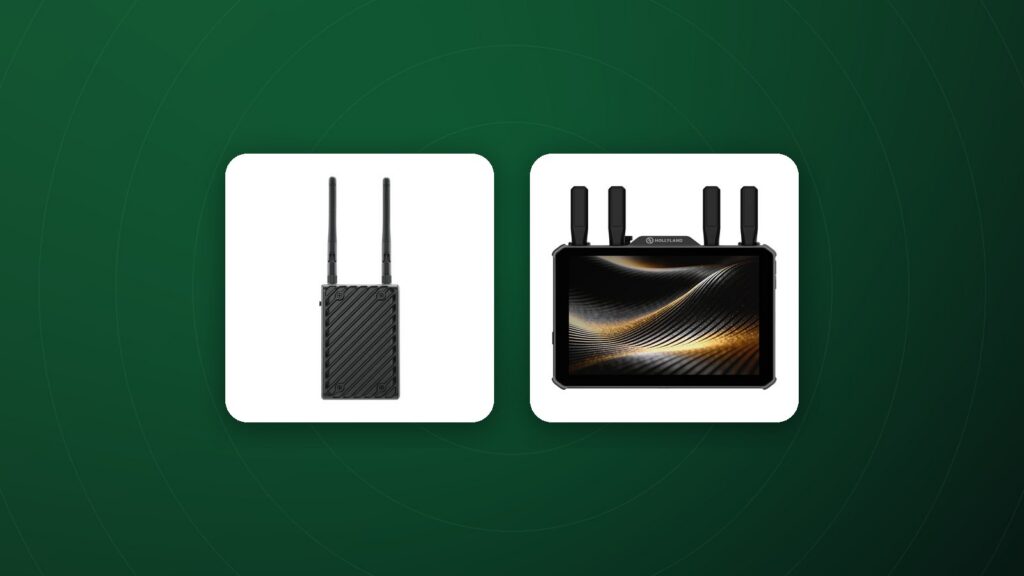
A wireless video transmitter sends a live image from the camera to monitors around the set without cables. It frees the camera operator, lets directors and clients watch remotely and allows focus pullers to work from a distance.
How it works
A transmitter connects to the camera’s HDMI or SDI output and sends the signal to one or more receivers, which connect to monitors. Some systems also stream to phones or tablets through an app.
Range
Manufacturers quote line-of-sight range, measured in open space with no obstacles. In real locations, walls, people, vehicles and other wireless devices reduce range, so choose a system with headroom beyond your typical distances.
Latency
Latency is the delay between the camera and the receiving monitor. Low, near-zero latency is essential for focus pulling and camera operation from a monitor; for client viewing, slightly higher latency is usually acceptable.
Frequencies and interference
Most systems use 5 GHz bands, and some can scan for the cleanest channel. In busy environments such as events and cities, channel scanning and robust interference handling are valuable. Always follow local regulations for wireless equipment.
Multiple receivers
Check how many receivers a transmitter supports simultaneously. Larger productions may need feeds for the director, focus puller, video village and clients.
Inputs and power
- HDMI: common on mirrorless and smaller cameras.
- SDI: locking connectors and long cable runs on professional sets.
- Power: small camera batteries or V-mount and Gold mount plates for longer days.
Setting up for reliable transmission
Mount antennas vertically and keep a clear line of sight where possible. Raise receivers above head height on stands, and avoid placing transmitters behind metal objects or large crowds.
Typical setups
- Solo creators: one transmitter and one receiver or phone app.
- Small crews: one transmitter with receivers for director and focus puller.
- Larger productions: multiple transmitters for several cameras and a video village.
Frequently Asked Questions
What is the difference between video transmission and streaming encoders?
Transmitters send a local feed around the set; streaming encoders send video over the internet to platforms or remote viewers.
How much range do I need?
For most sets, a system rated well beyond your expected distance gives reliable real-world performance.
Can I monitor on a phone?
Many systems support app viewing alongside dedicated receivers.
Does wireless video affect image quality?
The transmitted feed is for monitoring; the camera still records its own full-quality file.
Can I use wireless video on a gimbal?
Yes. Compact transmitters are popular on gimbals and handheld rigs.
Shop wireless video
Compare range, latency and features in our wireless video transmission collection, with full specs and 60-day returns on eligible items.