Buying Guide
How to Use a Gimbal for Smooth Video
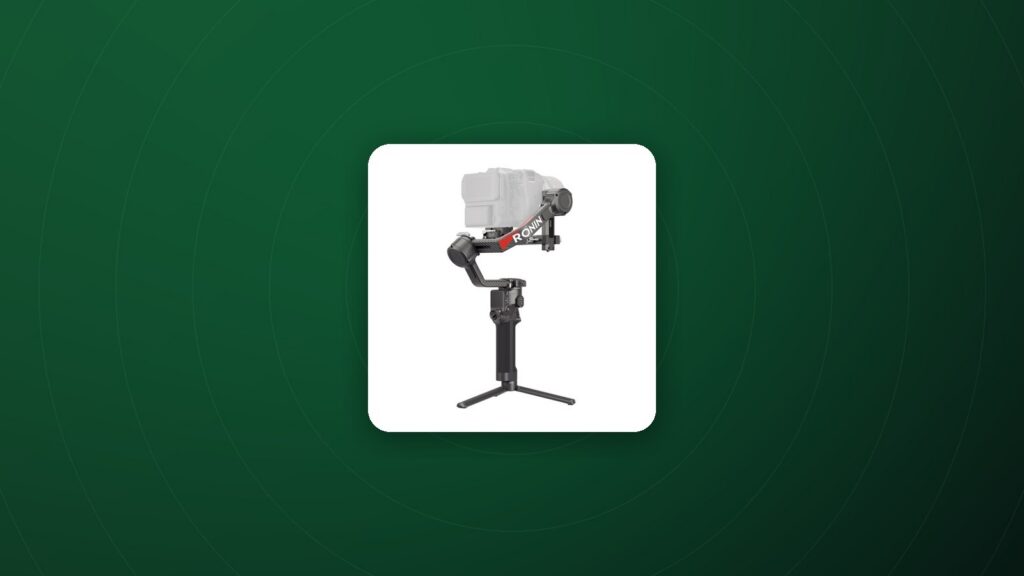
Learning how to use a gimbal properly is the difference between floating, cinematic movement and jittery footage. Gimbals use motors on three axes to counteract unwanted movement, but they work best when the camera is balanced and you move deliberately.
Step 1: Prepare the camera
Set up the camera exactly as you will shoot: lens attached, lens cap off, screen positioned, cables connected and memory card and battery inserted. Any change after balancing affects the balance.
Step 2: Balance every axis
- Tilt axis: slide the camera forward or back until it stays level when the camera points up or down.
- Tilt depth: adjust the vertical position so the camera holds any angle without swinging.
- Roll axis: slide the roll arm until the camera stays level when you let go.
- Pan axis: adjust until the camera does not rotate when the gimbal is tilted.
Good balance reduces motor strain, extends battery life and gives smoother results.
Step 3: Choose the right mode
- Pan follow: the gimbal follows left-right movement while keeping tilt and roll locked. Good for walking shots.
- Pan and tilt follow: follows both directions for more natural movement.
- Lock mode: keeps the camera pointing in one direction while you move around.
- FPV or full follow: follows all axes, including roll, for dynamic action shots.
Step 4: Walk the “ninja walk”
Bend your knees slightly, roll your feet heel to toe and keep your elbows relaxed. Your legs absorb the vertical bounce that the gimbal cannot fully remove.
Camera settings for gimbal work
- Use a shutter speed around double your frame rate for natural motion blur.
- Use a wide lens to make movement look smoother.
- Turn off or reduce in-body stabilisation if it fights the gimbal, following your gimbal’s guidance.
Common mistakes
- Skipping balance and relying on motor strength.
- Moving too fast or changing direction abruptly.
- Holding the gimbal too tightly, which transfers tension.
Creative gimbal moves
- Push in: walk slowly toward the subject to build tension.
- Orbit: circle around the subject while keeping it centred.
- Reveal: start behind an object and move to reveal the scene.
- Low mode: hold the gimbal upside down for low-angle shots.
Pairing a gimbal with other tools
Wireless video and remote focus make gimbal work easier on larger productions. A wireless video transmitter lets a director watch the shot while the operator moves freely.
Frequently Asked Questions
Do I need a gimbal if my camera has stabilisation?
In-body stabilisation helps, but a gimbal delivers much smoother walking and moving shots.
Why does my gimbal vibrate?
Usually because of poor balance or motor strength settings that are too high. Rebalance and run the auto-tune function.
Can gimbals carry cinema cameras?
Larger gimbals support heavier cinema cameras; always check the payload rating.
How long does gimbal battery last?
Battery life varies by model and payload; good balance helps it last longer.
Can I use a gimbal with a phone?
Smartphone gimbals are designed specifically for phones; camera gimbals need appropriate mounting.
Shop gimbals
Compare payloads and features in our gimbal stabilizers collection, with full specs and 60-day returns on eligible items.